
Built for AutoCount Accounting / ERP
Check AutoCount on Your Phone in 1 Second
Live sales, agents, debtors, purchases and stock — on web, tablet and mobile.
- No data migration
- Read-only & secure
- Web · Tablet · Mobile
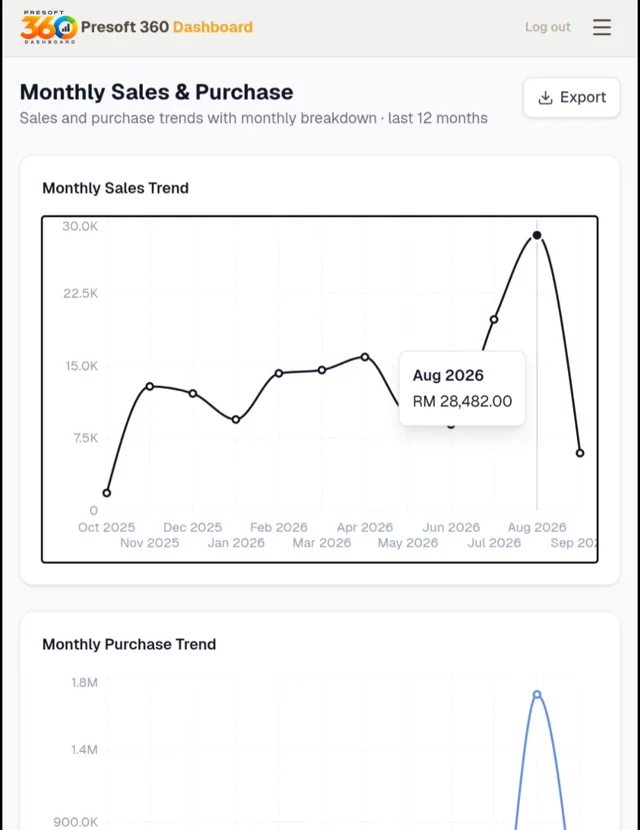
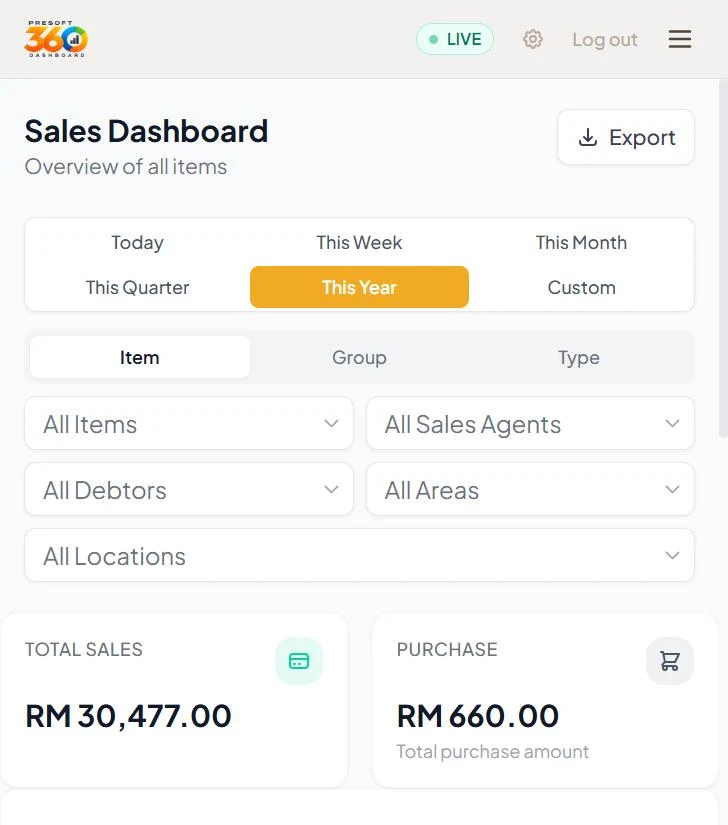
Sales trendToday · Week · Month
Stock by branchPrice 1 – 6 instantly
Product Demo
See the Real Dashboard in Action
- Sales by item, group & type
- 12-month sales vs purchase trend
- Top agents, debtors & areas
- Price 1 – 6 & stock per location
- One-click PDF report
The Problem
Still Calling the Office for Numbers?
Agent / Boss
needs a number
Calls office
waits for admin
Office PC only
AutoCount desktop
Export to Excel
compile by hand
Hours later
decision delayed
Locked to the office
Hours of manual Excel
Stock & price checks by phone
Trends hard to see
The Presoft 360 Way
Every Ringgit, Synced Live to Your Phone
Your AutoCount
SQL Server, as is
Secure API bridge
read-only
 Presoft 360
auto-calculated
Any device
answer in 1 second
1secto check sales, stock or price
0data migration
5breakdowns: item, agent, debtor, area, location
6price tiers on the spot
Key Features
Five Views of Your Business
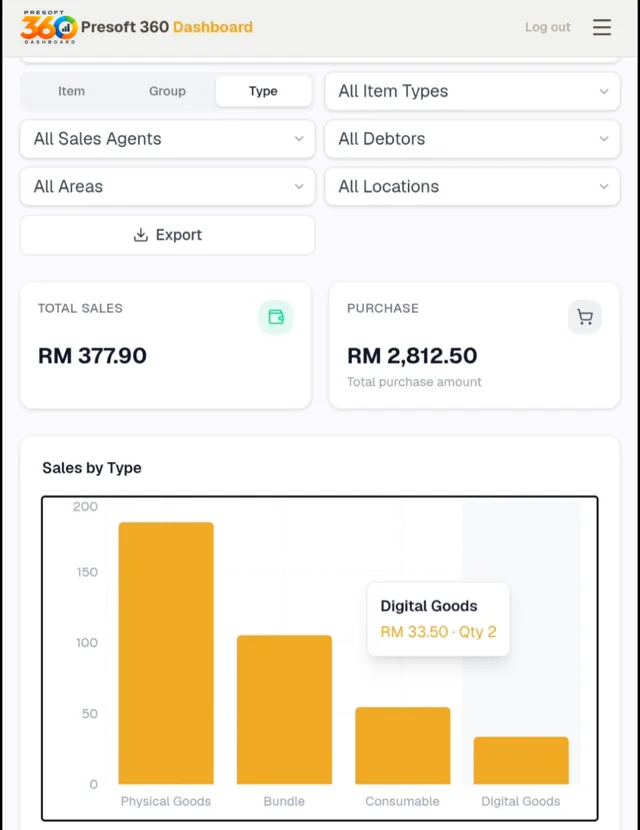
Sales Cockpit
- Accurate net sales — invoices, cash sales, debit & credit notes
- Switch Item · Group · Type in one tap
- Today, week, month, quarter, year or custom
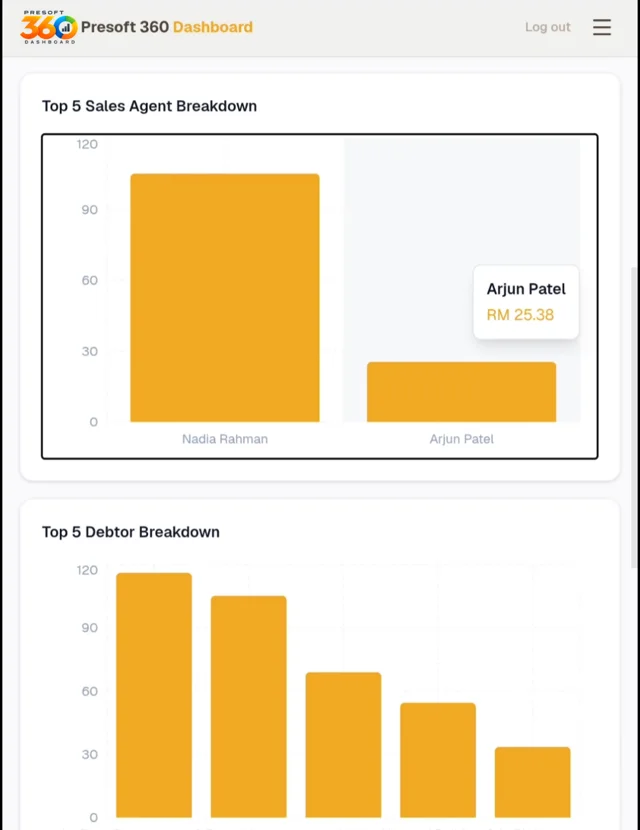
360° Performance
- Top sales agents & commission view
- Key debtors & revenue concentration
- Compare branches, areas & locations
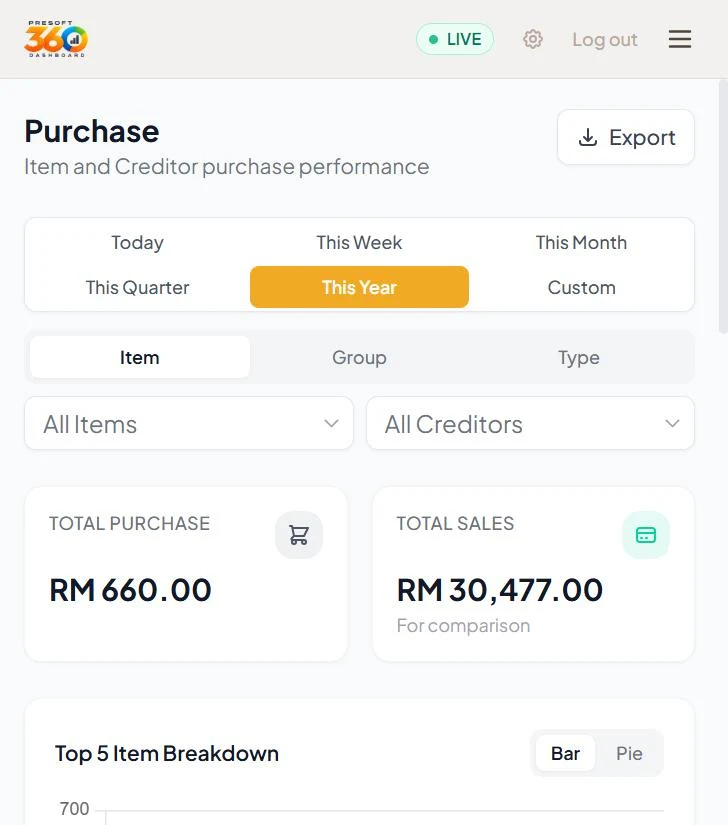
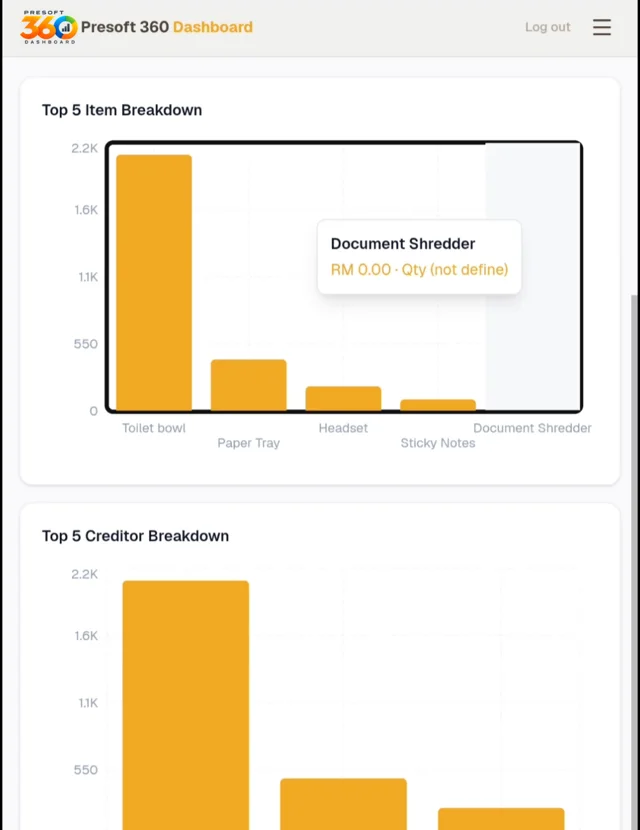
Smart Purchasing
- Net purchase vs sales, live
- Top suppliers — negotiate better terms
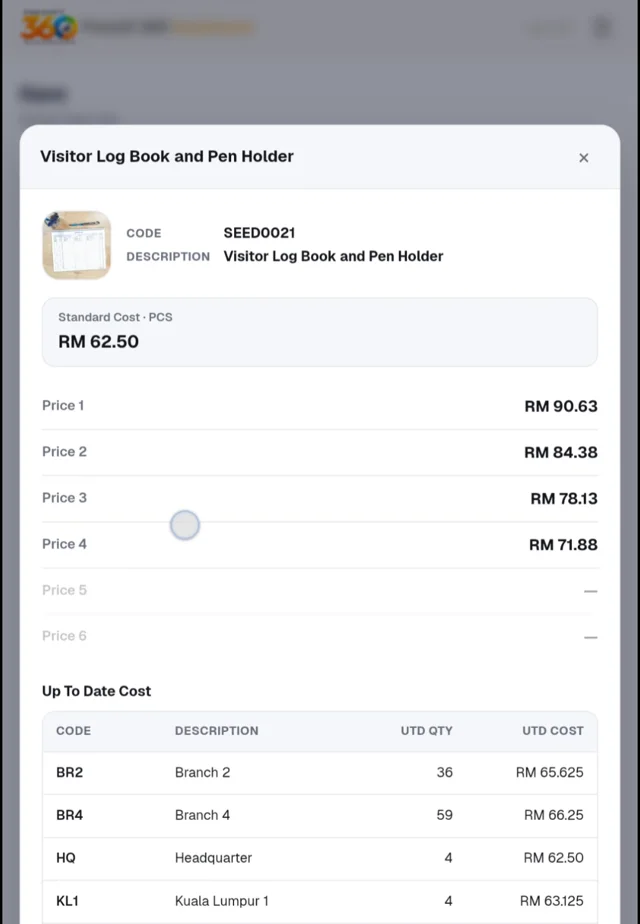
Stock & Price Lookup
- Up-to-date stock & cost per location
- Price 1 – 6 and multi-UOM on the spot
- Product catalogue with pictures
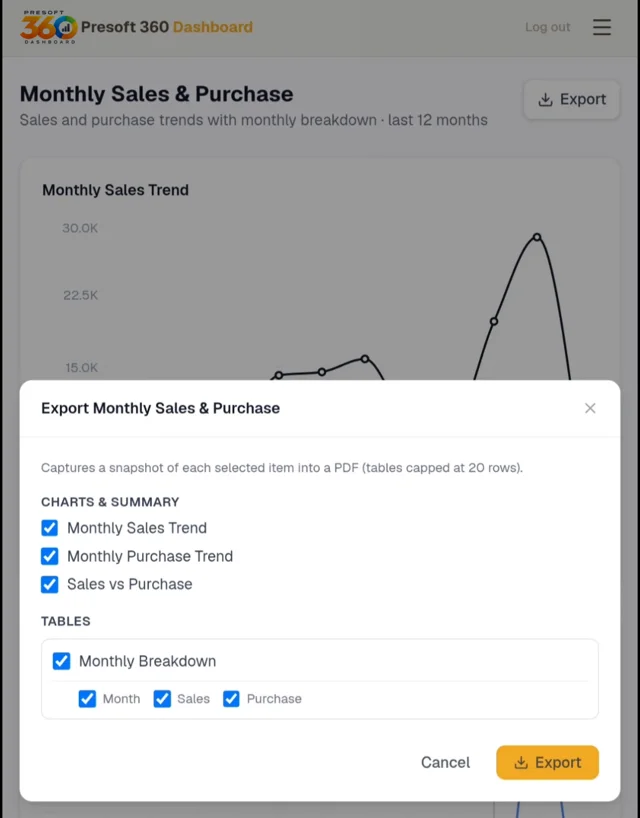
Boardroom-Ready PDF
- Tick the charts & tables you need
- Branded PDF in seconds
Who It's For
Built for Every AutoCount Team
Owners & DirectorsWhole business, one screen
Sales Managers & AgentsStock & price at the client
Finance & AccountsNo more manual reports
PurchasingTrack supplier spend
Multi-Branch BusinessesCompare every outlet
Bosses on the RoadOffice in your pocket
How It Works
Live in 4 Simple Steps
- 1Book a free demoJust WhatsApp us
- 2We connect AutoCountSecure, read-only, no migration
- 3Set users & accessBy agent, debtor, branch
- 4Open on any devicePhone, tablet, laptop
FAQ
Quick Answers
No. Presoft 360 connects to your existing on-premise or cloud AutoCount SQL Server through a secure API bridge.
No. Queries are read-only and optimised for reporting, so AutoCount invoicing is not affected.
Yes. Views can be filtered by sales agent, debtor and branch location.
Yes. Pick the charts and tables you need and export a ready-to-share PDF in one click.
Contact Us
Ready to See Your Business Live?
- FREE for maintenance customers
- Demo on your own AutoCount setup
- Certified AutoCount consultants